Firebase Security Rules Best Practices
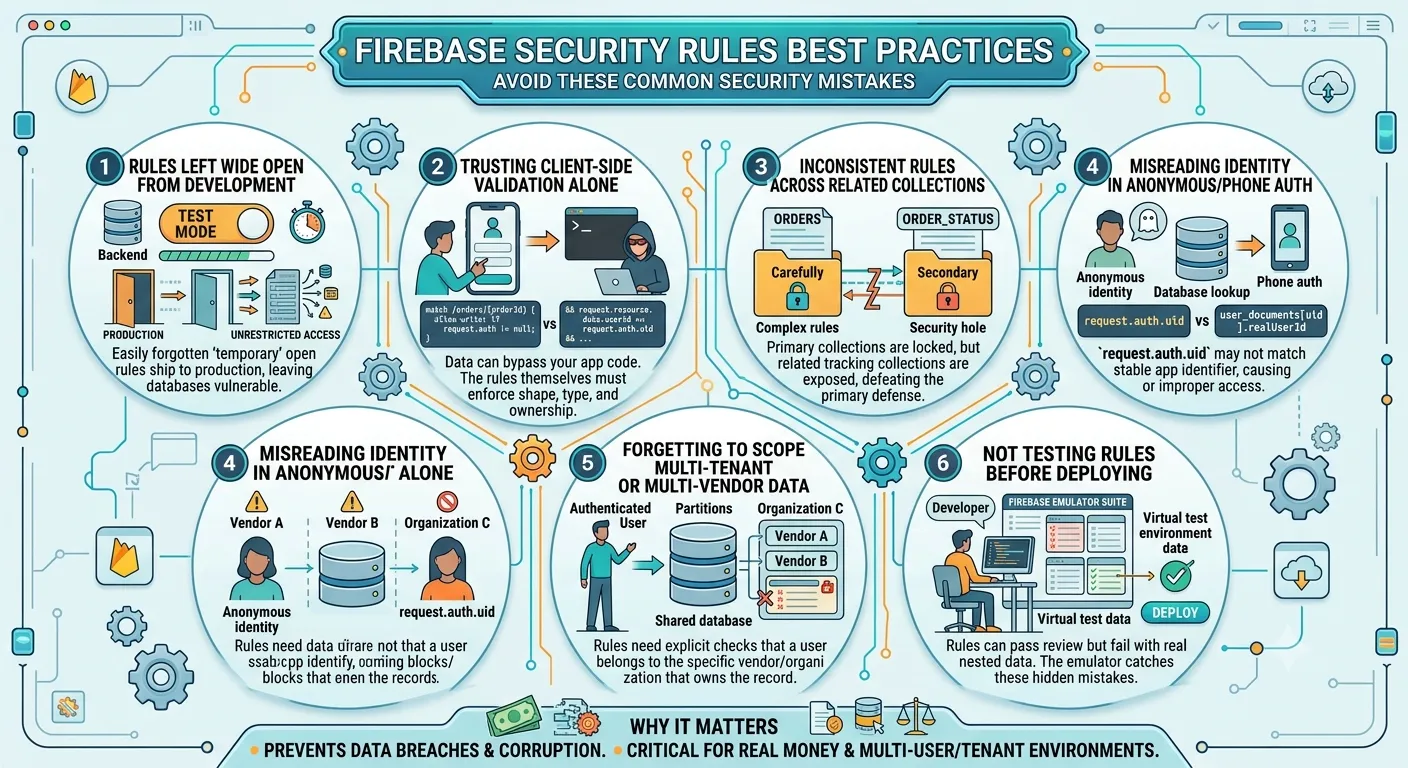

Firebase's security model is genuinely powerful, but it's also one of the easiest places to make a quietly expensive mistake. Every new project starts locked down by default, which is the right instinct, but it's tempting to loosen a rule just to get something working during development, and that loosened rule has a way of making it into production and staying there unnoticed.
Write rules around three principles: deny by default, scope every read and write to the data the requesting user actually owns, and validate data shape inside the rules themselves rather than trusting your app's client code to send well-formed data. A rule that only checks "is this user logged in" isn't really protecting anything, it's just checking a box.
Firebase's test mode allows open read and write access for a limited window to make local development easier. It's meant to be temporary, but it's easy to forget it's there once the app is functionally working, and ship to production with rules that never actually got locked down.
Validating required fields and data types in your app code is good practice, but it isn't security. Anyone can call your Firebase project directly, bypassing your app entirely, so the rules themselves need to enforce data shape and types, not just decide who's allowed to write at all.
// Loose: only checks authentication, not data shape or ownership
match /orders/{orderId} {
  allow write: if request.auth != null;
}

// Tighter: checks ownership and validates the shape of what's being written
match /orders/{orderId} {
  allow write: if request.auth != null
    && request.resource.data.userId == request.auth.uid
    && request.resource.data.status is string
    && request.resource.data.total is number;
}A primary collection like orders often gets carefully scoped, while a related collection that references the same data, something like an assignment or status-tracking collection tied to those orders, gets left with looser rules because it feels secondary. The same data ends up protected one way in one place and exposed in another, which defeats the point of locking down the first collection at all.
In apps using anonymous or phone-based authentication, the value in request.auth.uid doesn't always match the stable identifier your app actually uses to track a user, that mapping often lives in a separate user document instead. Writing rules that check request.auth.uid directly, when the app's real ownership logic depends on a different stored field, either blocks legitimate users unexpectedly or, worse, looks restrictive without actually restricting the right thing.
In any system with more than one organization or vendor sharing the same database, "the user is authenticated" is not the same as "the user is allowed to see this specific record." Rules need an explicit check that the requesting user belongs to the vendor or organization that actually owns the record, not just that they're logged in at all.
Rules can look correct when you read them and still allow or block the wrong thing once real nested data and document references are involved. The Firebase emulator suite lets you test rules against realistic data before they ever reach production, and it catches a category of mistakes that's nearly invisible from just reading the rules file.
A misconfigured security rule doesn't usually show up as a crash or an error message, it shows up as silent, ongoing data exposure that can go unnoticed for a long time, since the app keeps working normally for legitimate users the entire time the gap exists.
New projects start locked down, but it's common for developers to temporarily loosen rules during development and forget to tighten them before launch, which is where most real-world exposure comes from.
No. Anyone can call your Firebase project directly, bypassing your app's client code entirely, so validation and ownership checks need to live in the security rules themselves.
The Firebase emulator suite lets you run realistic test scenarios against your rules locally, which catches mistakes that aren't obvious just from reading the rules file.
Rules need to check that the requesting user belongs to the specific vendor or organization that owns a record, not just that they're authenticated at all, otherwise one tenant's data can be exposed to another.
Get a free AI audit and we'll review your rules before they become a problem.
Get Free AI Audit